Fixing a Timex Sinclair 2068 and Porting the Bond Maze
I’ve wanted a Timex Sinclair 2068 for a while, and the push to actually go find one came from a long conversation with a friend who learned to code on one as a kid. That makes him a member of a pretty small club. The 2068 sold poorly here. Timex pulled it off the market in 1984 after barely a year, and the kids learning BASIC in America were almost all on a TI-99/4A, a VIC-20, a C64, an Atari 800, or one of the Apple II machines. A US kid who cut their teeth on a Sinclair is rare, and listening to him talk about it was enough to make me want to try the machine that shaped him.
A different friend had a non-working 2068 he was willing to part with, and I had a TI-99/4A I’d restored sitting on a shelf. We traded.
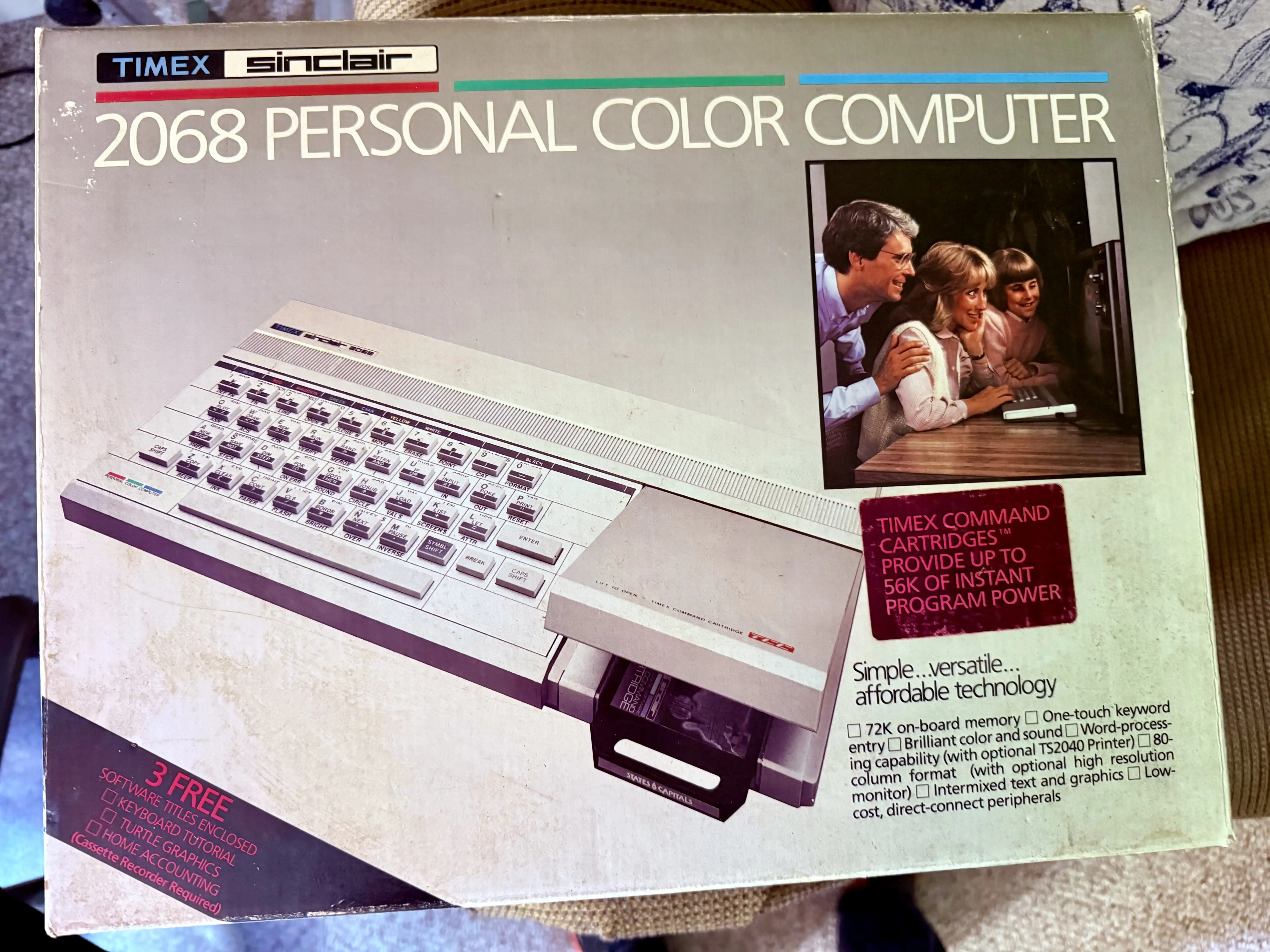
Look at this family. Dad in his dress shirt, mom leaning in over his shoulder, kid hovering at the edge of the frame, all of them staring at a 2068 like it’s about to recite scripture. This was the home-computing pitch in 1983.
The 2068 is the American cousin of the ZX Spectrum, with some extras Timex bolted on for the US market: a slightly different ROM, a cartridge port, two joystick ports, and an AY-3-8912 sound chip that the Spectrum didn’t get until the 128. This one arrived clean. Foam intact, keyboard pristine, manual binding still tight. It just didn’t boot.
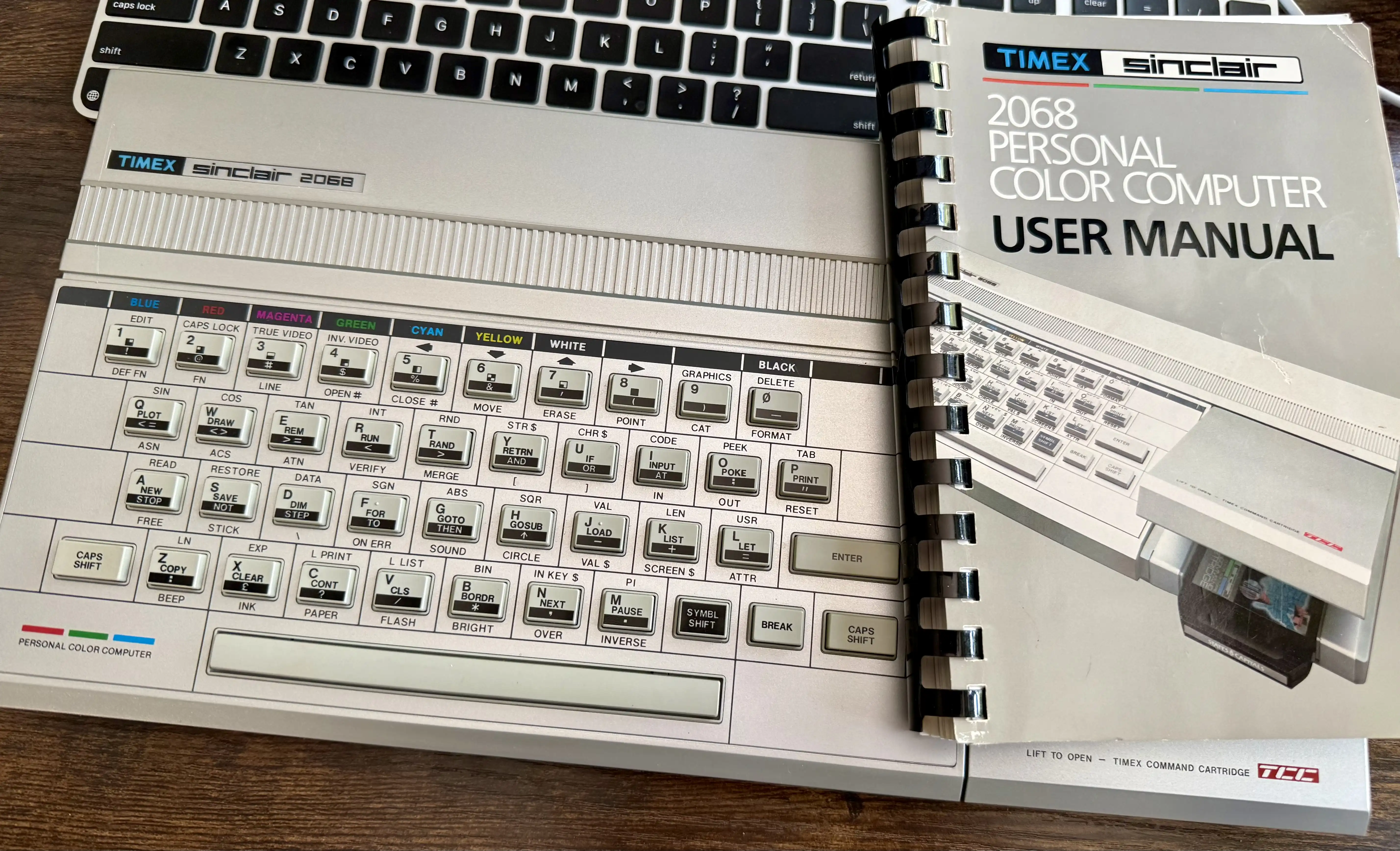
The machine and its spiral-bound user manual. The keyboard is in remarkable shape.
Tracing the Dead
Power on, and what I got back was three white horizontal stripes drifting across a dark field, no lock, no border, no useful sync. The video circuit was outputting something, but the something was garbage. The machine was drawing current, so the regulator and the rest of the analog side were alive. Whatever was wrong, it was happening on the digital side, before the CPU could write anything coherent into video memory.

What the dead 2068 was putting out. Three white bars and no signal lock. The CPU never made it to the screen-clearing routine.
Time for the scope. The Z80 has a 16-bit address bus and an 8-bit data bus, and on a healthy boot, both buses thrash continuously while the CPU fetches instructions from ROM. On a probe, it looks like every line is jittering between high and low at megahertz rates. On this machine, every address line was floating. Every data line was floating. Except D2, which was sitting firmly high and never moved.
A single data line stuck high while everything else floats is the textbook signature of a CPU that can’t drive its bus. It wasn’t even getting through the first ROM fetch. Either the Z80 was dead, or something else on the bus was clamping it. The fastest way to find out is to pull the CPU and test it.
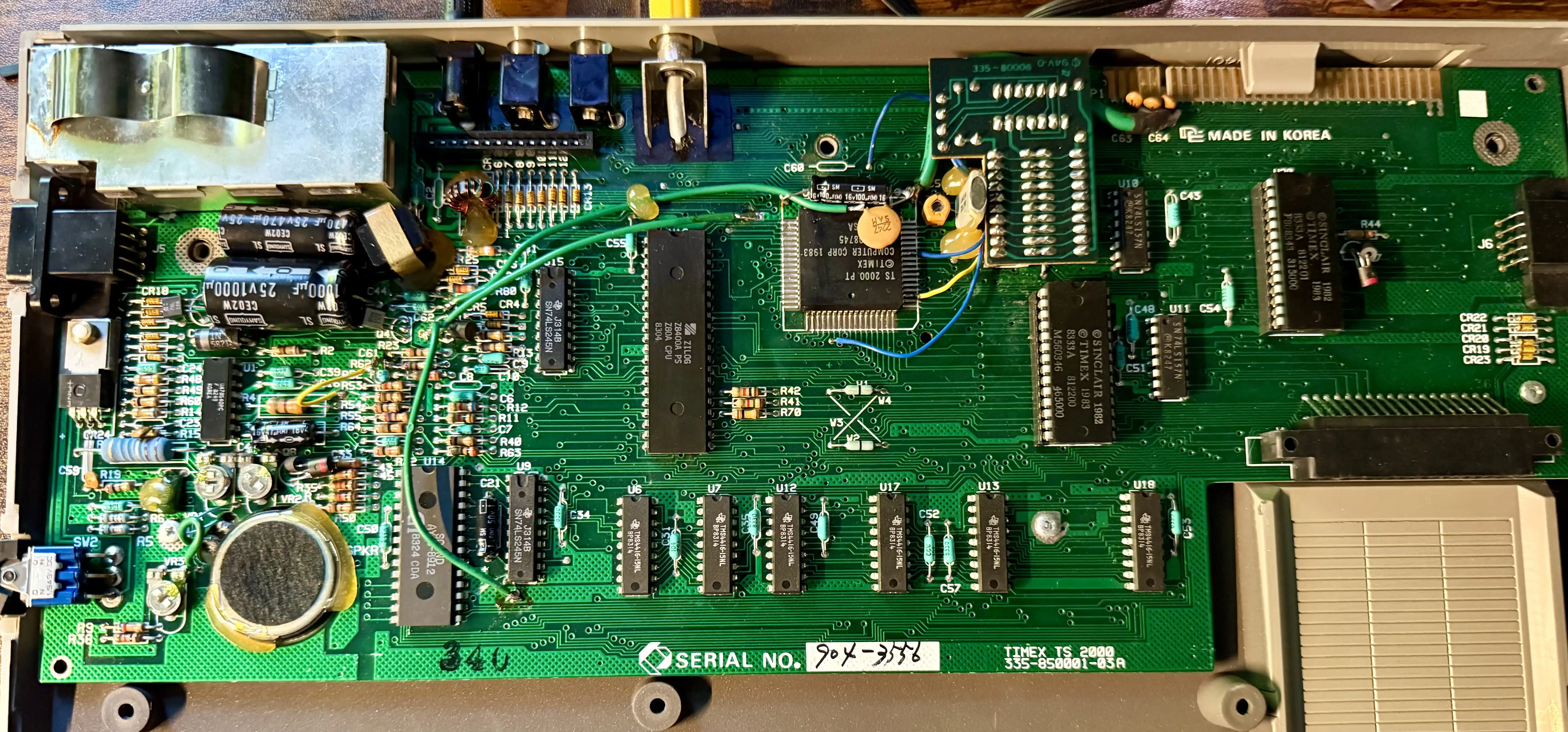
Inside the 2068. Z80A in the center, the big black square to the right is the Timex SCLD video chip (TS 2000), the ROM is over on the right edge. The board reads MADE IN KOREA along the right side.
On the 2068, the Z80 is only socketed if a previous owner has been there before, and this one wasn’t. So forty pins came off with the desoldering gun, slowly, with the patience of someone who really doesn’t want to lift a pad on a 1983 board. It came out clean. No damage to the traces, which is the part I was most worried about.
The chip went straight into my BackBit Chip Tester. FAILED, BAD ADDR. The address-line drivers inside the CPU were dead, which lined up perfectly with the scope reading. Nothing was on the address bus because nothing could put anything there, and the data bus was just floating into TTL highs.
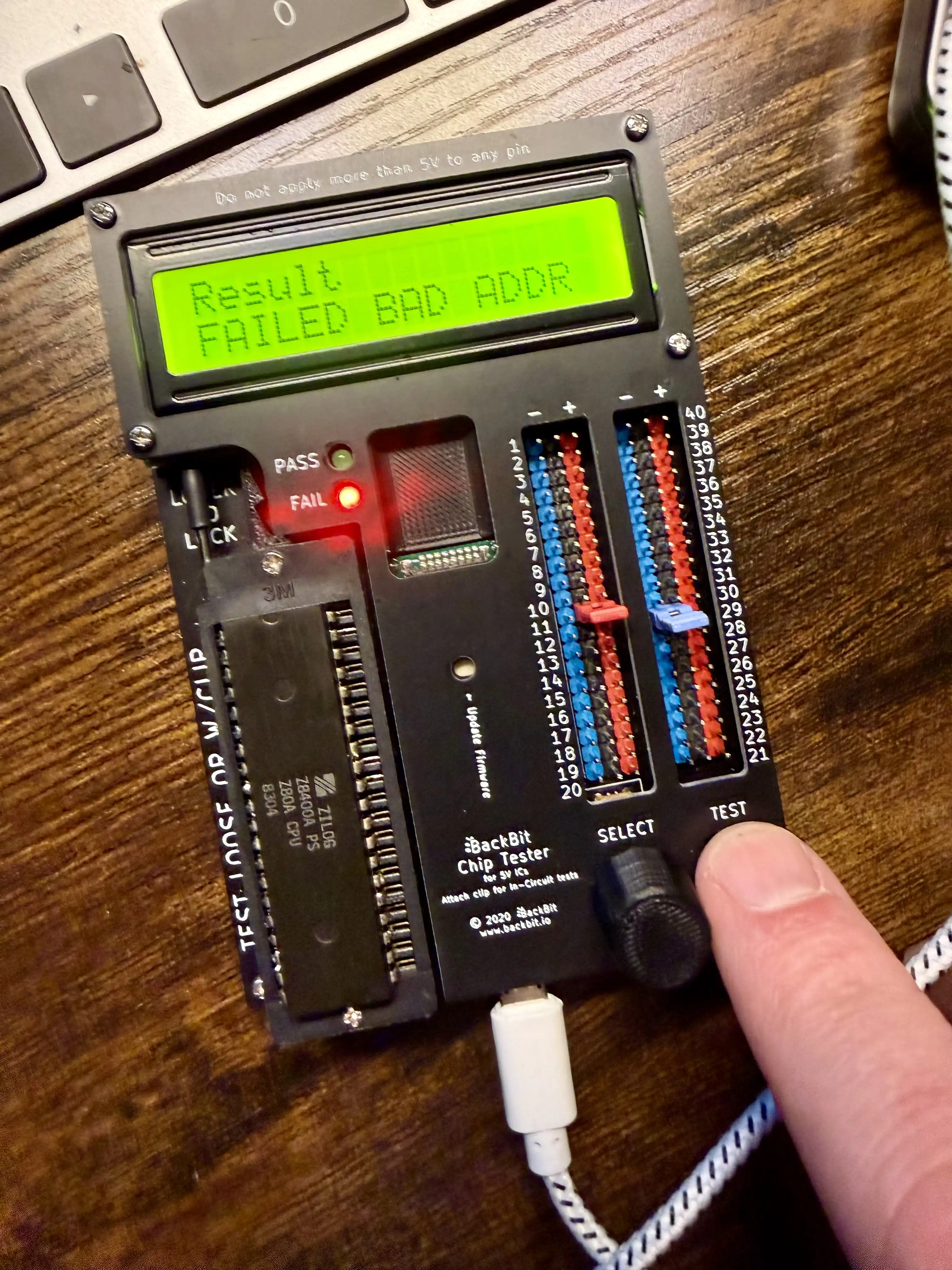
The original Z80A out of the 2068, in the BackBit tester. FAIL light on, BAD ADDR on the LCD. Date code 8304, week 4 of 1983.
I dropped in a fresh Z80 and a new socket, so I never have to desolder this part again, and the 2068 came up on the first try.
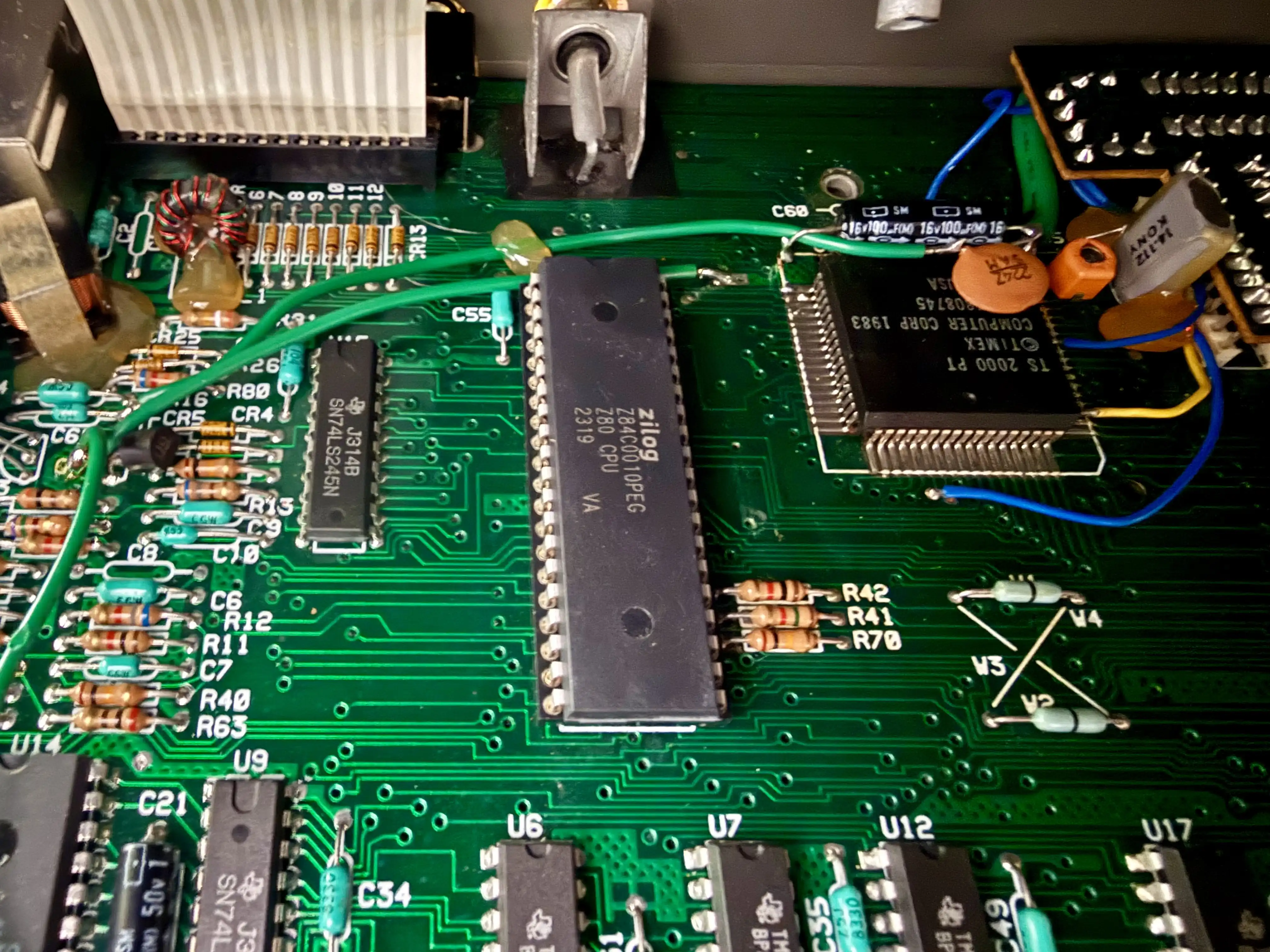
The new Z84C0010PEG, a CMOS Z80 rated to 10 MHz, date code 2319. Original 1983 board, 2023 CPU, no lifted pads, fresh socket, so this part is removable from now on. The big black square to the right is the Timex SCLD.
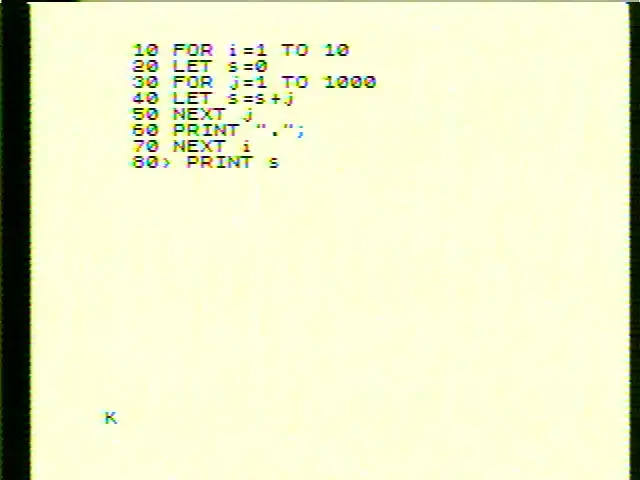
First boot after the swap. A trivial FOR loop typed in to confirm BASIC was alive. The K cursor at the bottom-left is Sinclair BASIC’s keyword-entry mode. The yellow tinge is the composite output, which I’ll get to in a minute.
Re-Learning to Type
The Sinclair keyboard is a different planet from anything in the Commodore world. Each key on the 2068 is a one-keystroke shortcut for an entire BASIC keyword. Press P at the start of a line, and you don’t get the letter P; you get the word PRINT. Press R and you get RUN. Press G and you get GO TO. The interpreter watches what context the cursor is in, and at the start of a line, it expects a keyword, so it hands you keywords. Once you’ve finished the keyword and moved on to arguments, the cursor flips into letter-entry mode, and the same keys start producing single characters again.
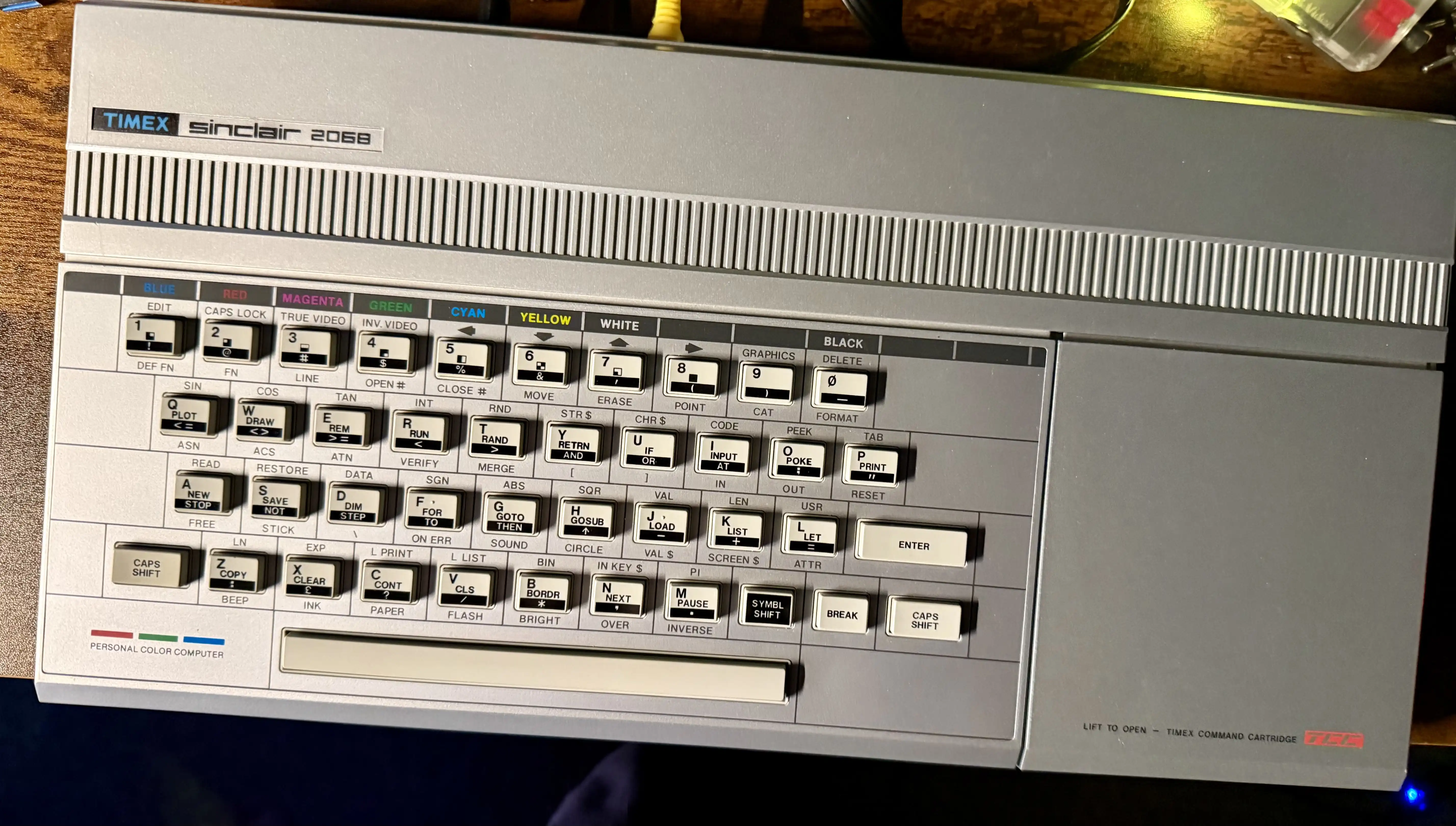
Every key has three or four labels printed on it. Base keyword, symbol-shifted alternate, caps-shifted version, function. PLOT, ASN. DRAW, ACS. REM, VERIFY. The colors along the top are how you select INK and PAPER colors in a single keypress.
For somebody who has been typing P-R-I-N-T letter by letter on Commodore machines since the early 1980s, the muscle memory is just wrong. I keep wanting to spell out keywords, and the keyboard keeps producing the wrong things, because it already knows what I meant and is trying to be helpful. It’s like switching from QWERTY to Dvorak, except the keys are also doing semantic work, so a wrong stroke isn’t a typo, it’s a different program.
A couple of days in, I’m starting to get the hang of it. There’s a logic to it. When I want PRINT I think P and the right thing happens, and once you stop fighting the system, it’s actually faster than typing keywords letter by letter. The trick is just persuading forty-five years of Commodore reflex to back off and let the machine do its thing.
A Maze for the Sinclair
Now I needed something to do with it. Three years ago, I wrote about the maze algorithm Charles Bond published in Compute! magazine in December 1981, which has been my favorite piece of BASIC since I was a kid. What makes Bond’s algorithm beautiful is that it stores the entire DFS state in screen memory itself. No stack arrays, no parent pointers. Each cell’s byte in the screen is either a wall, a hall, the entry direction (1 to 4), or the start-cell sentinel. To backtrack, you read the entry direction out of the cell you’re leaving and walk the way you came in.
The 2068 doesn’t have a character screen, though. It’s a bitmap machine. There’s no $0400 full of character codes to abuse the way Bond did on the PET and the C64. What it does have is the attribute file at $5800, which is 32 by 24 bytes, one byte per character cell, encoding paper color, ink color, brightness, and flash. That works just as well for our purposes. Pick a wall byte (PAPER 1, INK 0 is $08) and a hall byte ($00), and the DFS reads and writes attributes the same way the original reads and writes screen codes.
To keep the “watch it work” effect, the port also PRINTs a letter at each visited cell during construction. A, B, C, or D for the four directions, in color. When the DFS backtracks, it pokes the attribute back to $00, which is PAPER 0, INK 0. The bitmap glyph is still sitting in screen memory; the BASIC just made it invisible by setting the ink to the same color as the paper. Erasing is free.
Here’s the Sinclair BASIC version.
10 REM bond maze + ball traversal
20 LET wl=8: LET hl=0: LET bl=48
30 BORDER 1: PAPER 1: INK 0: CLS
40 RANDOMIZE
50 LET ab=22528
60 REM seal off lanes outside the maze region
70 FOR i=0 TO 23: POKE ab+i*32+31,hl: NEXT i
80 FOR r=21 TO 23: FOR i=0 TO 31: POKE ab+r*32+i,hl: NEXT i: NEXT r
100 DIM a(4)
110 LET a(1)=2: LET a(2)=-64: LET a(3)=-2: LET a(4)=64
120 LET sa=ab+1*32+1
140 LET ad=sa
150 POKE ad,5
160 LET j=1+INT (RND*4): LET xj=j
170 LET b=ad+a(j)
180 IF PEEK b<>wl THEN GO TO 220
190 LET o=b-ab: LET y=INT (o/32): LET x=o-y*32
200 PRINT AT y,x; INK 7;CHR$ (64+j);
210 POKE b,j: POKE ad+a(j)/2,hl: LET ad=b: GO TO 160
220 LET j=j+1: IF j>4 THEN LET j=1
230 IF j<>xj THEN GO TO 170
240 LET j=PEEK ad: POKE ad,hl
250 IF j<5 THEN LET ad=ad-a(j): GO TO 160
And here it is running. Construction first, with A/B/C/D showing the entry direction at each cell, then a yellow ball walking the corridors using the left-hand wall rule.
Full disclosure: I wrote and tested this on the real 2068, but the video is an emulator capture. I normally pull video off these machines through a RetroTink 5X into a capture device, which is about as clean a chain as you can build for analog output, and even through that, the 2068’s composite is so smeared you can barely make out the maze. A muddy capture of a clear program is worse than a clear capture of the same program, so I cheated for the screenshot. The fix for the composite is in the next section.
If you compare this to the original C64 version walked through line by line in the 2023 post, the bones are the same. The direction array, the WL and HL constants, the random-direction probe, and the read-direction-and-back-up dance for backtracking. What changed is everything around the edges, and that’s where Sinclair BASIC ambushes you if you’re coming from CBM or Atari.
Arrays are 1-indexed. DIM a(4) gives you a(1) through a(4). There’s no a(0). Bond’s original used A(0) through A(3) for the four directions, so every reference shifted up by one, and the wrap test became j>4 instead of j>3. Easy to miss.
Single-letter loop variables. Sinclair BASIC enforces this, of all things. FOR row= is a syntax error. FOR r= is fine. CBM and Atari both allow longer names, so this catches you off guard the first time.
Booleans return 1 and 0, not -1 and 0. This one’s the real gotcha. The C64 returns -1 for true and 0 for false, which is how Bond writes 4*(j>3) as a compact way to subtract 4 when j overflows. On the 2068, the same expression returns 4 when true, and the sign is wrong. The ball-traversal code at the bottom of the file flips that around: (j+2)-4*(j>2) instead of the C64’s (j+2)+4*(j>3).
PRINT AT row,col only goes to row 21. Rows 22 and 23 are the input and status area, and BASIC throws an error if you try to print there. So the maze region has to fit in the upper 22 rows, and I sealed off the unused columns and rows by poking the attribute file directly. Otherwise, the DFS could wander out into the area BASIC wants to use for error messages and corrupt it.
The maze builds in about 43 seconds. After it finishes, the ball walks the corridors using the left-hand wall rule and runs forever. The same source should also run on a real ZX Spectrum without any changes. The attribute file is at the same address, the BASIC dialect is the same, and nothing here uses the 2068’s extras.
Loading and Saving with a Modern Mac
The 2068 has a cassette interface. I don’t have a cassette deck anymore, but the EAR and MIC jacks on the back of the machine are just audio-in and audio-out. A Mac has both. A pair of 3.5mm cables and a little software, and the 2068 thinks it has a tape deck.
Loading
A cable from the headphone jack on the Mac into the EAR jack on the 2068 is all you need to play tapes back into the machine. The pipeline is two steps. zmakebas tokenizes the plain-text BASIC into a .tap tape image, and a small Python script renders the tape as a 44.1 kHz WAV using standard ROM-loader pulse timings.
LOAD "" on the 2068, ENTER, play the WAV through afplay. The border stripes its loader pattern, the program comes in, and runs.
A few cabling notes that took me a minute to figure out:
- Mac volume slider all the way up. Anything lower won’t load. The 2068 EAR input wants a hot signal, hotter than line-level intuition expects.
- EAR not MIC. Those labels are named from the cassette deck’s perspective, not the computer’s, so EAR is the input.
- If a load fails, try inverting the phase, or matching the WAV sample rate to whatever Audio MIDI Setup has the output device set to. A 44.1 kHz WAV resampled on the fly to 48 kHz can smear the pulse edges enough to break loads.
Saving
Going the other direction works the same way. A second cable from the 2068’s MIC jack into the Mac’s audio input (I use a small USB audio interface, but the line input on a Mac mini works fine too) lets the Mac record whatever the 2068 plays out when you SAVE "name". The 2068 generates the same kind of pulse train it expects to load from, the Mac records it as a WAV, and a decoder script turns the WAV back into a .tap. From there, you can extract the BASIC listing as plain text and put it under version control next to the source you originally loaded from.
Next: Killing the Composite Noise
The 2068’s composite output is bad. Here’s the same maze program running on the real machine, captured through the RetroTink 5X, which is the cleanest analog chain I have. You can see why I cheated with the emulator capture earlier.
Some of that’s just NTSC color encoding from a 1983 machine, and there’s nothing to do about it, but most of it is the power side. The factory brick is a heavy, unregulated transformer rated 15V that actually sits at 20V with no load, and the on-board regulator circuits that turn that into the rails feeding the digital and video sections look like a questionable design even by 1983 standards. The video circuit ends up sitting in ripple, and you see it on screen as wavy bands and crawling color fringes.
A modern regulator should help a lot. Parts are on the way. If it works as I expect, the next post will be a before-and-after with scope shots of the rails and screen captures of the composite signal. If it doesn’t, the next post is about why it didn’t, which is also useful.
For now, the machine boots, runs BASIC, loads tapes from a Mac headphone jack, and draws Bond’s mazes in color. Forty-four years after Charles Bond published his algorithm in Compute!, it still fits on one screen, runs on a Z80 about as gracefully as it did on a 6502, and it’s still as fun to watch build itself in color as it was the first time I saw it. Not bad for a maze.